Anúncios
resume myths truth can confuse job seekers and slow your progress if you trust shortcuts over substance.
In the 2025 U.S. market, competition is fierce and hiring teams use technology to screen large volumes of applications. Modern ATS focus on relevance, not perfect matches, and they read context and synonyms. That means clear, accurate wording and concrete achievements matter more than flashy design.
We will show how ATS and human reviewers work, which formats parse best, and why tailoring your document to each role raises relevance signals. This guide will not promise interviews, but it will cut guesswork and help you avoid common errors that cost attention early in the process.
Read the myths section before you change anything. Apply the tips to your situation, update your career document as you grow, and consider professional feedback when needed. You’ll find concrete steps you can use today to make your applications more competitive.
Introduction: Why resume myths truth matters in today’s U.S. job market
Algorithms and people both read your application; understanding that mix saves time and prevents common errors.
Anúncios
Context for 2025 hiring
Applicant tracking systems now rank submissions by relevance, then recruiters review shortlists. That means your document must parse cleanly and still read well to a human.
What you’ll learn and how to apply it
- How formatting and writing help parsing and human review.
- How to craft a concise summary that maps your experience to a job.
- Why natural keyword use beats stuffing and how to show measurable outcomes.
- Quick steps to tailor an application without rewriting everything.
Read this before you update your document
No single change guarantees an interview. Removing common blockers and improving clarity raises your chances, but results depend on your level, industry, and role.
“Focus on relevance and clear facts; then adapt advice to your context.”
The biggest resume myths (and the truth) you need to know
Hiring teams now expect clarity over cleverness when they scan your application.
Myth: A one-page document is always required. Truth: Length depends on relevance and experience. If extra lines show measurable achievements, two pages are fine for more senior roles.
Myth: Fancy design helps; truth: clean, single-column layouts with Calibri or Arial parse best. Use standard headings so systems and humans scan quickly.
Myth: List every job you’ve had. Truth: Prioritize roles that match the job description and show outcomes. For example: “Cut processing time 22% by automating monthly reports.”
Myth: Objectives are essential. Truth: A 3-line professional summary that maps your experience to the role gives more value.
Show soft skills with proof, and address gaps briefly (for example, training or volunteer work). When relevant, add a concise cover letter to connect your story to the job.
- Keep fonts and spacing consistent.
- Tailor bullets to the job description.
- Review and update every quarter.
“Each line should advance your case for the job.”
ATS myths vs. reality: How applicant tracking systems actually work
Applicant tracking now reads meaning and context, which means careful wording matters more than keyword repetition. Modern systems parse sentences and map phrases to related concepts. They match required and preferred terms using context and synonyms, not only exact strings.
How parsing and ranking work in 2025
The systems scan your document for structured headings and key phrases. They score relevance to the job description and rank applicants for human review. A non-perfect score does not auto-reject your submission; humans still review top results.
Practical file and keyword guidance
File formats: Follow the posting. If unspecified, use DOCX; a well-structured, text-based PDF can also parse correctly. Avoid image scans, tables, and complex columns that break parsing.
Keyword approach: Pull 8–12 core terms from the description. Place them naturally in your summary and bullets. Don’t repeat a word without context; stuffing hurts readability and signals manipulation.
“Test by saving to plain text to see how a tracking system will read your document.”
- Use standard headings (Summary, Experience, Education, Skills).
- Include earlier relevant achievements under a “Selected earlier experience” label when helpful.
- Match naming conventions in the description (for example, use “Salesforce” if listed).
Format and content choices that help both ATS and recruiters
Simple layout and clear labels make it easy for systems and humans to find your most relevant information.
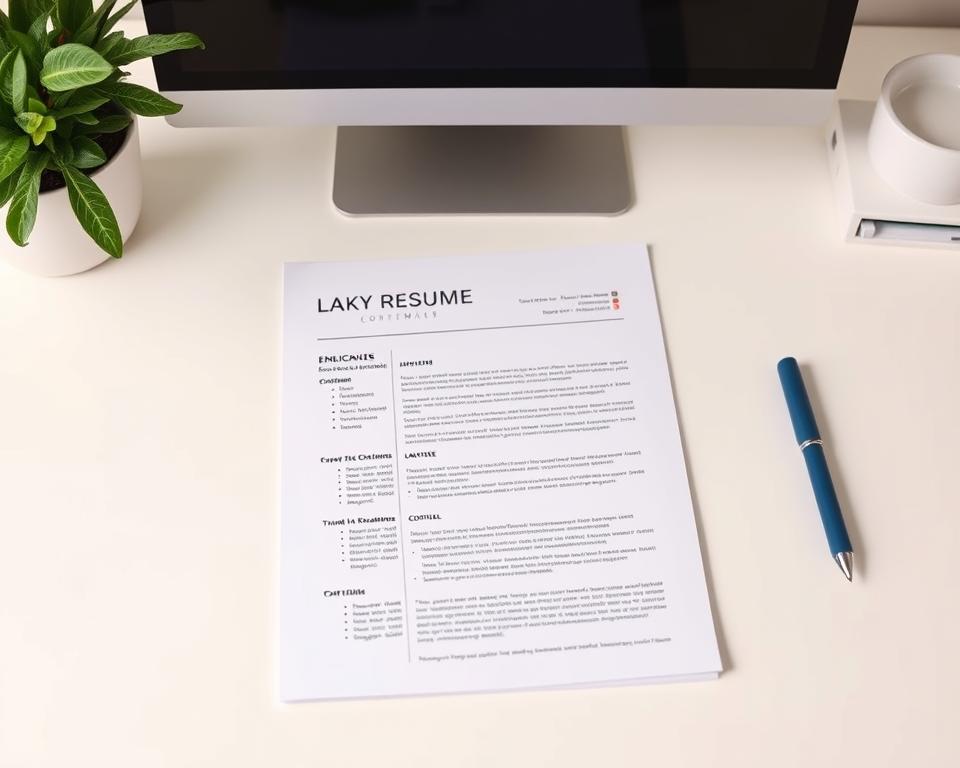
Use clear headings such as Summary, Experience, Education, and Skills. A single-column document with consistent font sizes creates a clean scan path for software and busy employers.
Choose professional fonts like Calibri, Arial, or Helvetica at 10–12 pt. Keep margins and white space balanced so each section gets visual space and the page reads well on screen and in print.
Replace objectives with concise summaries
Write a 3–4 line summary that names your target role, highlights core skills, and cites two measurable outcomes. This gives hiring teams quick context and improves keyword relevance without stuffing.
- Start bullets with strong verbs and add numbers where possible.
- Group skills into short clusters (for example, “Data: SQL, Python, Tableau”).
- Standardize date formats and job titles to help parsing and matching.
- Avoid heavy design elements, text boxes, and multi-column layouts.
“Each line should make it easier to match your experience to the role.”
Save a clean master copy for resume writing edits, then export tailored versions per role. That preserves formatting and keeps your document focused for each application.
Turn truths into action: Practical ways to refine your resume today
Small, focused edits can lift your document’s relevance and your interview chances.
Align bullets to the job description with measurable achievements
Start with the job description and highlight 8–12 keywords. Then map each keyword to a bullet, a skill line, or a short project note.
Convert duties into achievements by adding numbers: percent gains, time saved, or volume handled. For example, “Increased qualified leads 35% in six months by launching a webinar series.”
Customize versions for different roles and update quarterly
Create a master document and clone it for each application. Reorder bullets so the top three under each role mirror the posting’s priorities.
Schedule a quarterly review to add recent projects, certificates, or education and to remove dated work that no longer supports your target career.
Pair your document with a focused cover letter and LinkedIn alignment
Write a one-page cover letter that explains fit, motivation, and a short story tying your achievements to the employer’s needs.
Keep LinkedIn headline, summary, and skills consistent with your document so recruiters see the same experience across platforms.
- Prepare for interviews: turn your top five bullets into STAR stories.
- Track outcomes: log which versions raise your chances after each application.
- Close gaps: add courses or credentials only when they support the target role.
“Tailoring boosts relevance; update often and test which edits improve your chances.”
Conclusion
Close by treating each application as a short, evidence-based story about your work.
Clean formatting, focused content, and honest alignment to the job description help both systems and employers see your value. Remember: ATS rank relevance, but humans still decide who moves to the interview.
One page is not a fixed rule; use the space you need but keep it intentional. Show soft skills through outcomes and keep your information current so seekers and hiring teams trust your facts.
If you feel stuck, professional writing or coaching can add structure and clarity to your career documents. Thank you for reading—take one small action today: update a top bullet to show a clear result for the role you want next.